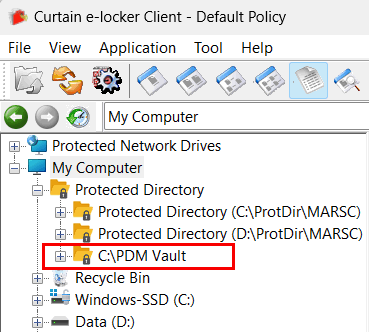
0113 : How to add “Additional Protected Directory” in Curtain Admin?
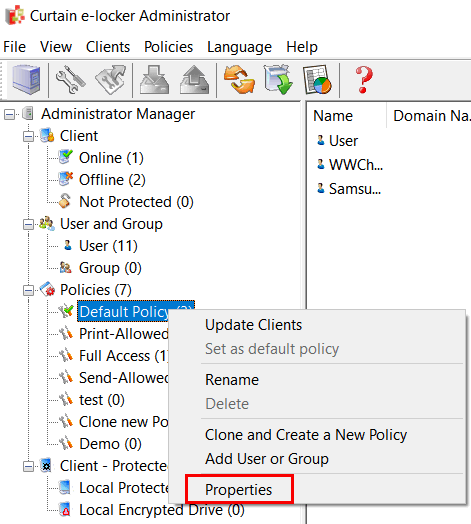
1. In Curtain Admin, select a Policy Group and right-click to select “Properties”.
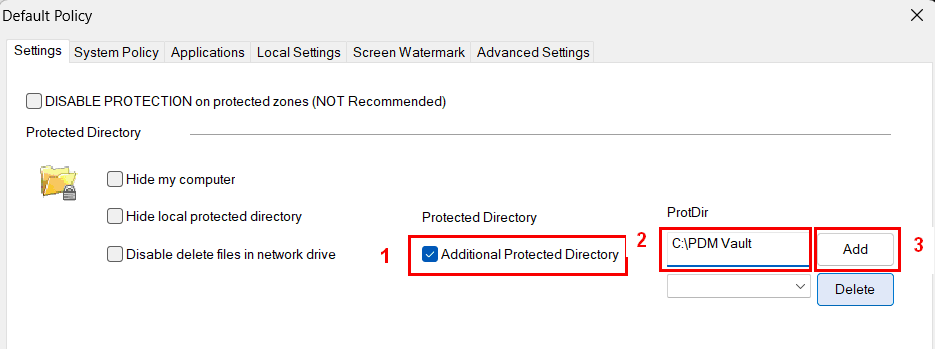
2. In Settings tab,
– Check “Additional Protected Directory” .
– Enter the path C:\PDM Vault.
– Click “Add” button to confirm.
3. The Additional Protected Directory will be shown after you restart Curtain Client.