0284 : Sophos endpoint conflict with e-locker client
| Enter “central.sophos.com” to access Sophos administrator system.
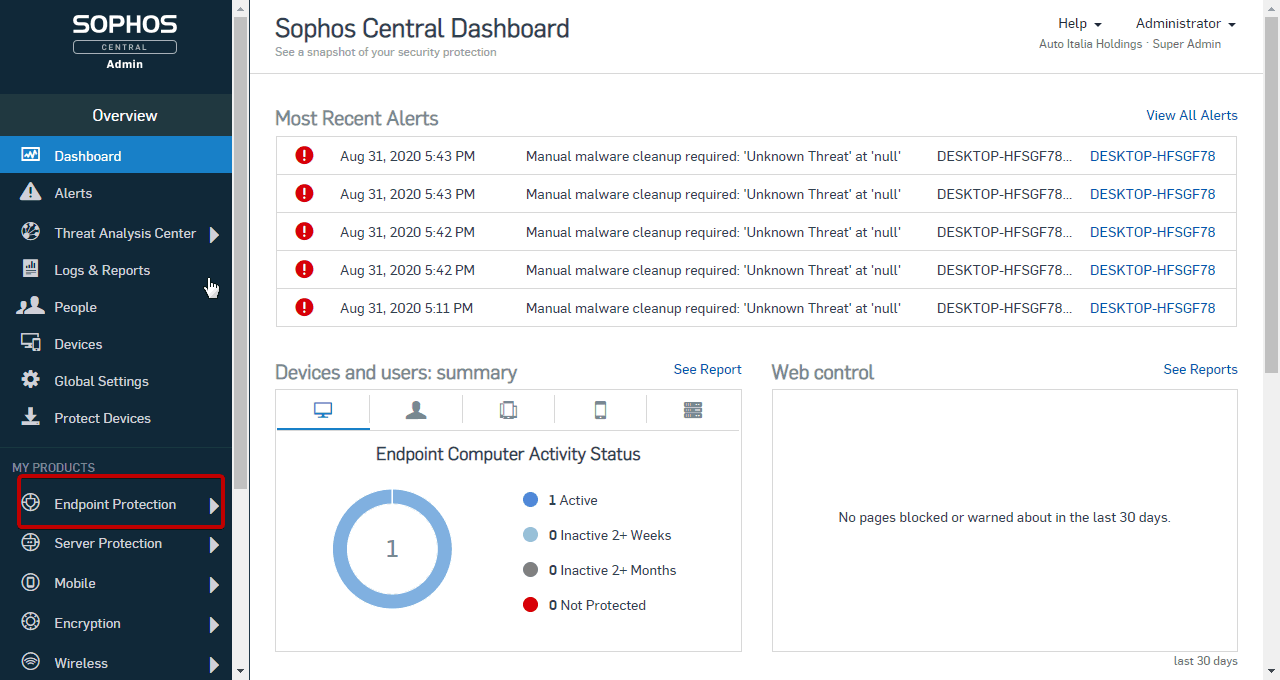
Conflict: Steps: 2. Click “Endpoint Protection” on the left pannel.
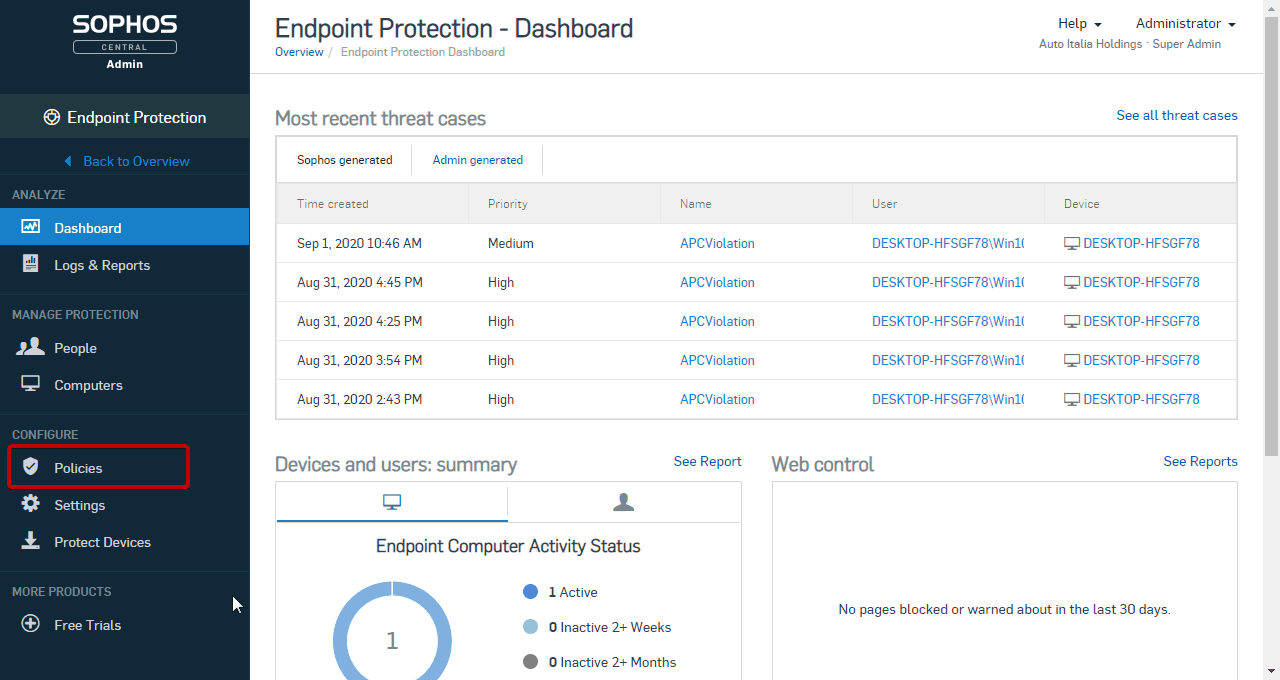
3. Click “Policies”
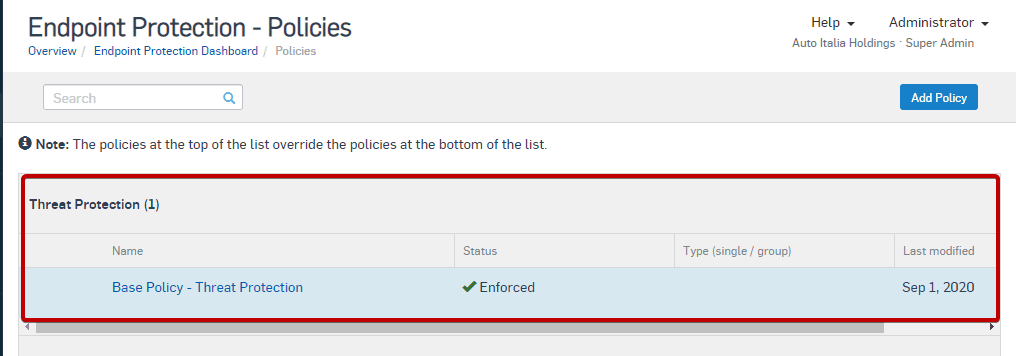
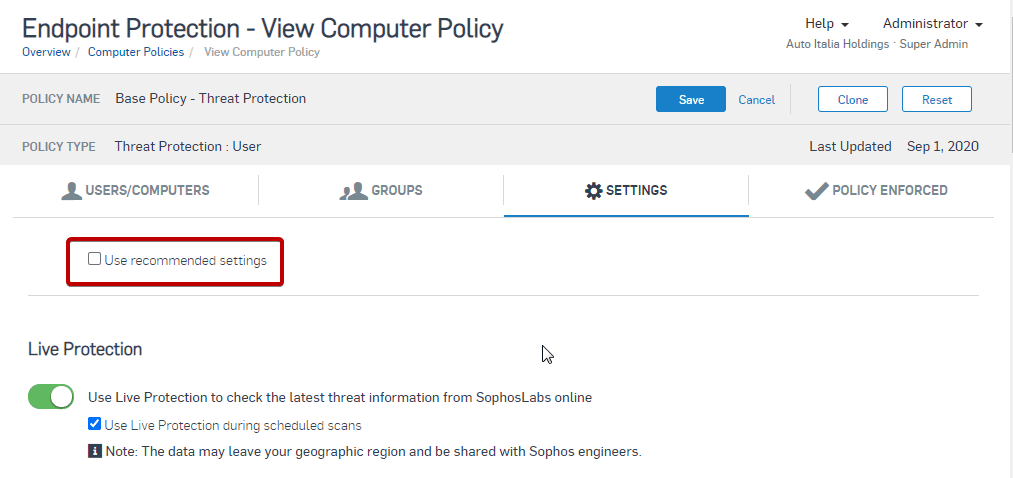
4. Click “Base Policy – Threat Protection”.
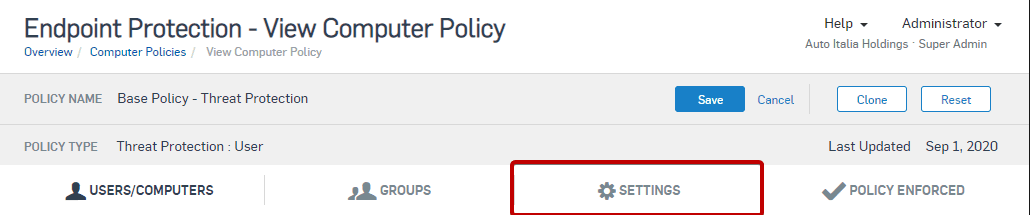
5. Click “SETTINGS”.
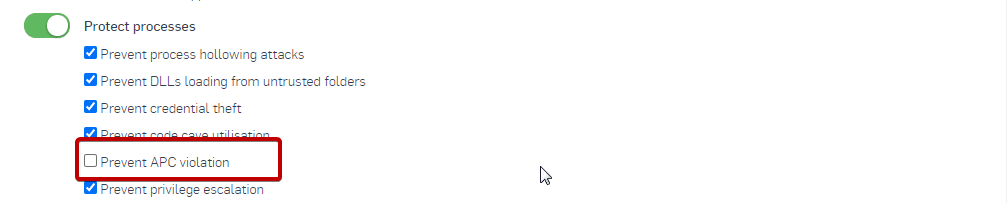
6. Uncheck “Use recommended settings” first, then uncheck “Protect processes > Prevent APC violation” setting, click “Save” to exit.
7. Update policy on Sophos endpoint agent. 8. Restart computer. |